By Emily Harrison
I still remember the day I discovered the magic of smartphone photo editing. I was on a solo trip to the city, and I had just taken a photo of a beautiful street art mural. But when I looked at the picture on my phone, it looked dull and lifeless. That’s when I decided to try my hand at editing, and I was amazed at how a few simple tweaks could transform my photo into a stunning work of art. It’s a feeling that’s hard to describe, but it’s like uncovering a hidden treasure in your own backyard. As someone who loves urban gardening, I know that even the smallest details can make a big difference, and that’s exactly what smartphone photo editing is all about.
In this article, I’ll share my favorite tips and tricks for editing your phone photos like a pro. You’ll learn how to enhance the colors, adjust the lighting, and add a personal touch to your photos, all without needing any fancy equipment or software. My goal is to provide you with practical advice that you can use every day, whether you’re a seasoned photographer or just starting out. I’ll cut through the jargon and get straight to the point, sharing my own experiences and mistakes along the way. By the end of this article, you’ll be equipped with the skills and confidence to take your smartphone photo editing to the next level and make your photos truly unforgettable.
Table of Contents
Guide Overview: What You'll Need

Total Time: 1 hour 15 minutes
Estimated Cost: Free – $10
Difficulty Level: Easy
Tools Required
- Smartphone (with internet connection)
- Photo Editing App (e.g., Adobe Lightroom, VSCO)
Supplies & Materials
- None No physical supplies needed
Step-by-Step Instructions
- 1. First, let’s start with the basics – choosing the right app for your smartphone photo editing needs. I’ve tried out a bunch of different options, but my go-to is still VSCO, which offers a wide range of presets and editing tools that can help you achieve a unique, film-like aesthetic in your photos.
- 2. Once you’ve downloaded and installed your preferred editing app, it’s time to import your photos. This is usually a straightforward process, but be sure to check that your app allows you to edit photos from your camera roll, as well as take new photos directly within the app. I love that VSCO lets me do both, giving me total flexibility when it comes to my editing workflow.
- 3. Now it’s time to get started with the actual editing process – and for me, that always begins with adjusting the exposure. This can make a huge difference in the overall look and feel of your photo, and it’s often the first step in transforming a mundane snapshot into a stunning work of art. Be careful not to overdo it, though – you want to enhance the image, not overpower it.
- 4. Next up, I like to play with the colors in my photo, using the app’s built-in presets or manual controls to tweak the color palette and create a mood that matches my vision. This can be anything from a bold, vibrant look to a soft, pastel-inspired aesthetic – the key is to experiment and see what works best for your image.
- 5. One of my favorite things about smartphone photo editing is the ability to add textures and effects to your photos. This can be a great way to add depth and interest to an otherwise flat image, and can help to create a truly unique look that sets your photos apart from the crowd. From subtle film grain to bold, geometric patterns, the possibilities are endless.
- 6. Of course, no photo edit would be complete without a bit of cropping and straightening. This can help to refine the composition of your image, drawing the viewer’s eye to the subject and creating a sense of balance and harmony. Don’t be afraid to get creative and try out different crops – you might be surprised at how it can transform your photo.
- 7. Finally, it’s time to save and share your edited photo. Most apps will give you the option to save your edit as a new photo, or to overwrite the original image – I usually choose the former, so I can compare my before and after shots and see just how far I’ve come. From there, you can share your photo on social media, send it to friends and family, or simply enjoy it as a personal memento.
Smartphone Photo Editing
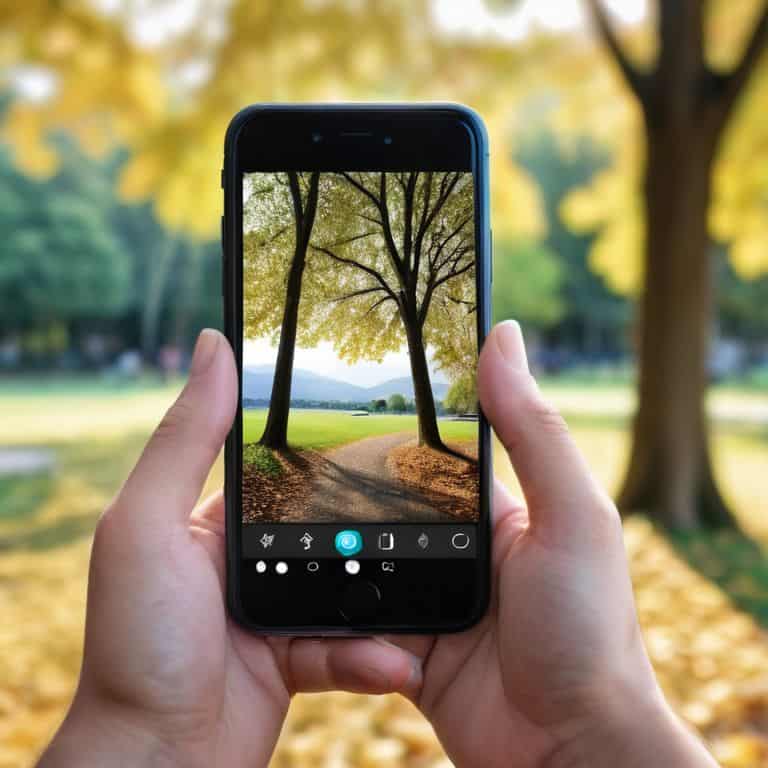
As I delve into the world of mobile photography tips, I’ve discovered that it’s not just about pointing and shooting. To truly elevate your photos, you need to understand your smartphone camera settings. For instance, playing with the exposure compensation can make a huge difference in capturing the perfect shot. I’ve also found that using ios photo editing apps can be a game-changer, allowing you to fine-tune your photos with ease.
When it comes to post-processing, I’m a big fan of advanced smartphone photography techniques. One of my favorite tricks is to use the “curves” tool to adjust the brightness and contrast of my photos. It’s amazing how a simple tweak can add depth and dimension to an otherwise flat image. I’ve also experimented with photo editing software for android, and I’m impressed by the wide range of features and filters available.
As I continue to explore the world of mobile photography, I’m excited to discover new smartphone image processing techniques. Whether it’s using layering to add textures or experimenting with different color palettes, the possibilities are endless. By combining these techniques with my love of urban gardening and sustainable cooking, I’m able to create unique and captivating photos that tell a story.
Advanced Editing With Ios and Android
As I delve into the world of advanced editing, I’m reminded of an old postcard I found at a flea market, with a black and white photo of a cityscape. The owner had written, “Sometimes, it’s not about the colors, but the story behind them.” This resonates with me when using iOS and Android editing tools. With features like curves and selective adjustments, I can refine my photos to evoke a specific mood or atmosphere. I love experimenting with these tools to uncover new narratives within my images.
On my Android device, I often use the “portraits” mode to add a professional touch to my photos, while on iOS, I enjoy playing with the “depth control” feature to create a sense of intimacy. These advanced editing features have become an essential part of my mobile photography journey, allowing me to transform ordinary moments into extraordinary stories.
Mobile Photography Tips for Everyday
As I edit my photos, I’m reminded of the old postcard I found at a flea market, with a snapshot of a sunset taken on a disposable camera. The faded colors and imperfections made it all the more charming. I apply the same philosophy to my mobile photography – embracing the imperfections and playing with light, textures, and composition to create unique stories. Whether I’m capturing a bustling street scene or a quiet moment in my urban garden, I love how editing can elevate the mood and atmosphere of a photo.
For everyday mobile photography, I recommend experimenting with different angles and perspectives. Get low, climb high, or try shooting through objects to add depth and interest to your photos. And don’t be afraid to break the rules – sometimes the most captivating shots are the ones that don’t follow traditional photography guidelines. By embracing your creative voice and having fun with the editing process, you’ll start to see the world as a canvas of endless storytelling possibilities.
Snap, Edit, Repeat: 5 Essential Tips for Elevating Your Smartphone Photos
- I love experimenting with different lighting setups to add depth and warmth to my photos – natural light is always a winner, but playing with indoor lighting can create some amazing effects too!
- Editing apps are a game-changer – I’m obsessed with the ones that offer a wide range of filters and adjustments, it’s like having a mini photo studio in my pocket!
- A good rule of thumb is to keep it simple: sometimes less is more when it comes to editing, and a few subtle tweaks can make a huge difference in the overall look and feel of a photo
- I’ve learned to pay attention to the little details – a wonky horizon or a distracting background can throw off an otherwise great shot, so taking a moment to adjust and refine can make all the difference
- Lastly, don’t be afraid to get creative and try new things – whether it’s playing with reflections, experimenting with unusual angles, or capturing the beauty in everyday moments, the possibilities are endless with smartphone photography!
Snap, Edit, Repeat: 3 Key Takeaways
I’ve learned that with just a few simple editing tricks, I can turn my everyday smartphone photos into stunning pieces of art that tell stories of their own, much like the old postcards I collect
Experimenting with different editing apps and techniques has become a fun part of my urban gardening and cooking adventures, allowing me to capture and share the beauty in the mundane
Whether I’m snapping a freshly baked loaf from my parents’ old bakery recipe or a blooming flower in my city garden, editing my mobile photos has helped me connect with my community and share my passion for sustainable living in a way that feels both personal and relatable
Capturing Life's Moments
As I edit my photos, I’m reminded that it’s not just about enhancing the image, but about telling a story that connects us to our past, our present, and each other – one snapshot at a time.
Emily Harrison
Embracing the Art of Smartphone Photography
As I reflect on our journey through the world of smartphone photo editing, I’m reminded of the power of creativity that lies within our fingertips. We’ve explored the basics of editing, delved into mobile photography tips for everyday life, and even touched on advanced editing techniques for both iOS and Android. Whether you’re a seasoned photographer or just starting to explore the capabilities of your smartphone camera, the key takeaway is that beauty is in the details – and with the right tools and mindset, you can turn even the most mundane moments into stunning works of art.
As you continue to experiment and push the boundaries of what’s possible with smartphone photography, I encourage you to remember that the story behind the shot is just as important as the shot itself. So, keep snapping, keep editing, and most importantly, keep telling your story – for in the end, it’s the emotional connection we make with our photos that truly makes them unforgettable.
Frequently Asked Questions
What are some essential smartphone photo editing tools for a beginner?
I’m so glad you asked! As a beginner, I recommend starting with VSCO and Lightroom – they’re super user-friendly and offer a range of presets and editing tools to enhance your mobile photos. I also love Snapseed for its intuitive interface and powerful features, perfect for giving your pics a professional touch!
How can I achieve a consistent aesthetic across all my edited photos?
To achieve a consistent aesthetic, I swear by creating a custom preset that reflects my personal style. I experiment with different filters, contrasts, and color palettes until I find the perfect blend, then save it as a reusable preset. It’s amazing how this simple trick can tie all my edited photos together, giving my feed a cohesive look that’s uniquely mine.
Are there any specific smartphone photo editing techniques for capturing stunning low-light images?
I just love experimenting with low-light photography! One of my favorite techniques is using the “exposure compensation” feature to brighten up dark areas, while also playing with the “noise reduction” tool to minimize graininess – it’s amazing how these small tweaks can turn a dull photo into a moody masterpiece!