By Ava Peterson
As I sat in my cozy Vermont-inspired living room, surrounded by the warm glow of vintage lamps and the comforting creaks of my lovingly restored armchair, Bertha, I couldn’t help but think about the often-overlooked backbone of our homes: the network. So many of us struggle to optimize home network systems, leading to frustrating lag, dropped connections, and a general sense of disconnection. But I’m here to tell you that it doesn’t have to be that way – with a few simple tweaks, you can transform your home network into a seamless sanctuary that brings people and devices together.
In this article, I’ll be sharing my personal, tried-and-true tips for optimizing your home network, from assessing your current setup to implementing clever solutions that will make your internet connection hum like a well-oiled machine. You can expect honest, no-nonsense advice that’s free from technical jargon and focused on practical, real-world applications. Whether you’re a tech-savvy enthusiast or a busy homeowner just looking to streamline your digital life, I’ll guide you through the process with the same care and attention to detail that I bring to restoring a beautiful vintage piece, like my beloved side table, Luna.
Table of Contents
- Guide Overview: What You'll Need
- Step-by-Step Instructions
- Optimize Home Network
- Cozying Up Your Connection: 5 Whimsical Tips to Optimize Your Home Network
- Bringing it All Together: 3 Key Takeaways for a Harmonious Home Network
- A Home Network Harmony
- Weaving a Seamless Sanctuary: A Conclusion
- Frequently Asked Questions
Guide Overview: What You'll Need
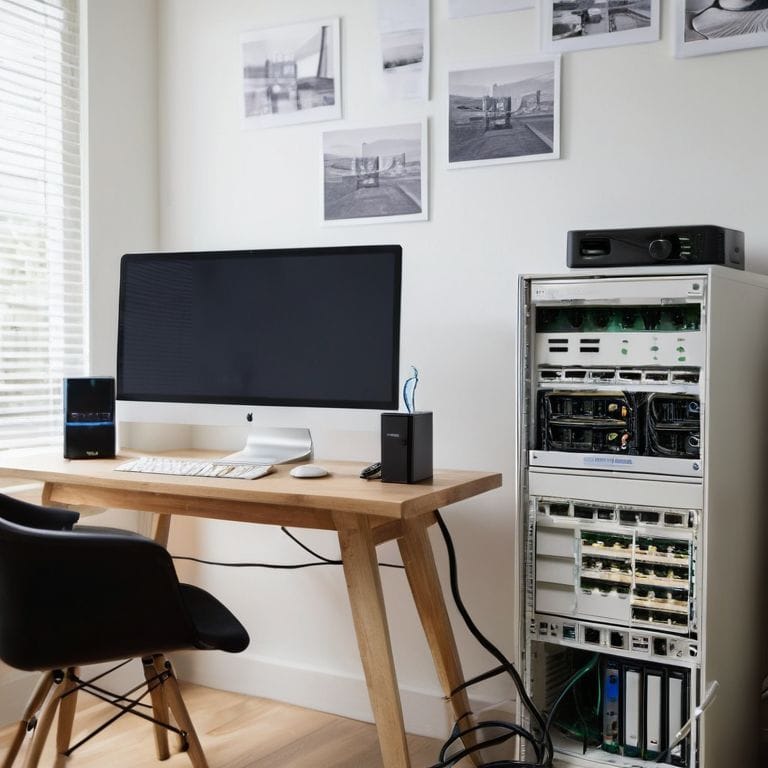
Total Time: 1 hour 30 minutes
Estimated Cost: $20 – $100
Difficulty Level: Intermediate
Tools Required
- Router (for configuration)
- Ethernet Cable (for wired connections)
- Wi-Fi Analyzer Software (for network analysis)
- Laptop or Computer (for configuration and testing)
Supplies & Materials
- Network Switch (for expanding network capacity)
- Wi-Fi Range Extender (for improving coverage)
- Cat 6 Ethernet Cable (for reliable wired connections)
- Power Strip (for organizing devices)
Step-by-Step Instructions
- 1. First, let’s start by assessing our current home network setup, taking note of the number of devices connected, the type of internet service we’re using, and the layout of our home. This will help us identify any bottlenecks in our network and determine the best course of action for optimization. We want to make sure our network is seamless and efficient, just like a well-designed room in our home.
- 2. Next, we need to update our router’s firmware to ensure we have the latest security patches and features. This is a crucial step in optimizing our home network, as outdated firmware can leave our network vulnerable to cyber threats. I like to think of it as giving our router a fresh new coat of paint, just like I do when I’m restoring a vintage piece of furniture – it brings out the best in it.
- 3. Now, let’s talk about network congestion. With so many devices connected to our network, it’s easy for things to get bogged down. To alleviate this, we can use Quality of Service (QoS) settings to prioritize certain devices or activities, such as video streaming or online gaming. This will help ensure that our network is running smoothly and that we’re getting the best possible performance out of it.
- 4. Another important step in optimizing our home network is to secure our Wi-Fi network. This can be done by changing the default password, enabling WPA2 encryption, and setting up a guest network for visitors. I like to think of it as adding a beautiful, unique lock to our front door – it keeps our home and network safe and secure.
- 5. To further optimize our home network, we can use a Wi-Fi analyzer tool to identify the best channels for our router to use. This will help reduce interference from other devices and ensure that our network is running at its best. It’s like finding the perfect vintage piece to complete a room – it just fits.
- 6. Next, we should consider upgrading our router to a newer model that supports the latest Wi-Fi standards, such as Wi-Fi 6. This will provide better performance, faster speeds, and greater coverage throughout our home. I recently restored a beautiful vintage armchair, which I named “Luna,” and I was amazed at how a fresh new upholstery could bring out its true character – similarly, a new router can bring out the best in our home network.
- 7. Finally, let’s not forget about the importance of regular maintenance in keeping our home network optimized. This includes regularly restarting our router, updating our devices, and running virus scans to ensure that our network is running efficiently and securely. Just like how I regularly polish the vintage furniture pieces in my home to keep them looking their best, we should regularly maintain our home network to keep it running smoothly.
Optimize Home Network
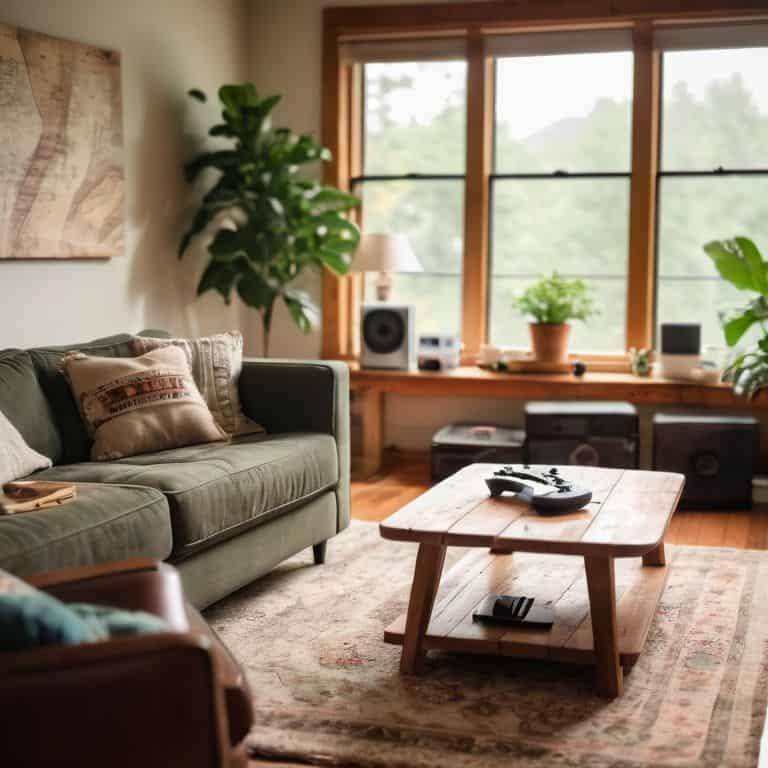
As I sit in my cozy Vermont-inspired living room, surrounded by restored vintage furniture – like my beloved armchair, Bertha – I realize that a seamless online experience is just as essential as a comfortable seating arrangement. To achieve this, it’s crucial to focus on wireless network configuration, ensuring that your router is placed in an optimal location to minimize interference. I’ve found that reducing packet loss in gaming is particularly important for my friends who are avid gamers, and a well-configured network can make all the difference.
When it comes to streaming, investing in one of the best wifi routers for streaming can significantly enhance your online experience. I’ve had my fair share of frustrations with buffering, but since upgrading my router, I can enjoy my favorite shows without interruptions. Additionally, setting up a mesh network can be a game-changer for larger homes, providing a reliable and strong connection throughout.
To take your network to the next level, consider exploring quality of service settings, which allow you to prioritize certain devices or activities, such as online gaming or video streaming. By making a few simple adjustments, you can create a home network security system that is both efficient and secure, giving you peace of mind while you’re browsing or streaming online.
Unlocking Home Network Security Tips
As I sit amidst my latest restoration project, a beautiful vintage armchair I’ve named “Luna,” I’m reminded that a secure home network is much like a cozy, welcoming room – it’s all about creating a sense of safety and tranquility. Just as I carefully select each piece of furniture to bring out the unique character of a space, we must thoughtfully consider our home network’s security to protect our personal sanctuary.
To begin, change your router’s default password and username to prevent unauthorized access. Regularly update your router’s firmware and use strong, unique passwords for all devices connected to your network. By taking these simple steps, you’ll be well on your way to unlocking a more secure home network, where you can feel free to explore, create, and relax, just as I do in my own little corner of the world, surrounded by beloved pieces like Luna.
Weaving Wireless Network Configuration Magic
As I sit amidst my latest restoration project, a beautiful vintage armchair I’ve named “Luna,” I’m reminded that optimizing our home network is much like refinishing a treasured piece of furniture – it requires attention to detail and a little bit of magic. Weaving wireless network configuration magic is all about creating a seamless sanctuary where devices connect effortlessly. I like to think of it as giving my home network a warm, welcoming glow, much like the soft light that spills from the vintage lamp I’ve named “Gatsby” in my cozy reading nook.
To achieve this, I recommend taking a few key steps. First, ensure your router is placed in a central location, much like the beautiful vintage sideboard I’ve named “Willow” that serves as a warm and inviting centerpiece in my dining room. This will help distribute the signal evenly throughout your home, creating a sense of harmony and balance. By making a few simple adjustments, you can transform your home network into a haven of connectivity and efficiency, where every device works in perfect harmony.
Cozying Up Your Connection: 5 Whimsical Tips to Optimize Your Home Network

- Let your router breathe: give it some space and consider placing it on a vintage side table, like my beloved ‘Bertha’, to improve airflow and signal strength
- Name your network something charming, like ‘Vermont Vibes’ or ‘Cozy Cupboard’, to add a touch of personality to your digital domain
- Use powerline adapters to extend your network, just like I use them to bring new life to my vintage lamp restorations, like ‘Luna’ and ‘Finn’
- Schedule regular ‘digital dustings’ to update your router’s software and clear out any clutter, much like I do when I’m refinishing a beautiful old dresser, like ‘Daisy’
- Create a ‘tech sanctuary’ by designating a specific area for your router and modems, and adorn it with some greenery, like a potted plant on a restored wooden stool, to bring a sense of serenity to your network’s nucleus
Bringing it All Together: 3 Key Takeaways for a Harmonious Home Network
To create a seamless and enchanting home network, it’s essential to balance technical optimization with a deep understanding of your personal needs and habits, much like I do when I’m restoring a vintage piece of furniture to its former glory
By weaving together wireless network configuration magic, unlocking home network security tips, and adding a dash of personality to your setup, you’ll be well on your way to crafting a unique sanctuary that reflects your style and story
As you work to optimize your home network, remember that it’s not just about speed and efficiency – it’s about cultivating a sense of warmth, welcome, and connection in every corner of your home, whether you’re working, playing, or simply enjoying a quiet moment with loved ones
A Home Network Harmony
Just as a beautifully restored vintage armchair can be the cozy heart of a living room, a well-optimized home network can be the invisible thread that weaves together the warmth and connection of our entire home.
Ava Peterson
Weaving a Seamless Sanctuary: A Conclusion
As we conclude our journey to optimize home network configurations, let’s take a moment to reflect on the key points we’ve covered. From weaving wireless network configuration magic to unlocking home network security tips, each step has been designed to transform your home network into a seamless sanctuary. By following these steps, you’ll not only enhance your online experience but also create a cozy and inviting atmosphere that’s perfect for relaxing, working, or entertaining. Whether you’re a busy professional or an avid gamer, a well-optimized home network is the foundation upon which all your digital endeavors thrive.
As you embark on this exciting adventure of optimizing your home network, remember that it’s not just about faster internet or better connectivity – it’s about crafting a space that nurtures your mind, body, and soul. So, go ahead, get creative, and breathe life into your home network. With a little patience, imagination, and technical know-how, you’ll be well on your way to creating a whimsically eclectic digital haven that’s truly one-of-a-kind, and a perfect reflection of your unique personality and style.
Frequently Asked Questions
What are the most common mistakes people make when trying to optimize their home network?
The most common mistakes I see are overlooking router placement, ignoring firmware updates, and not securing their network with a strong password – it’s like leaving a beautiful vintage armchair out in the rain, isn’t it? A little TLC can go a long way in keeping your home network cozy and secure!
How can I ensure that my home network is secure and protected from potential hackers?
To safeguard your home network, I recommend setting up a strong router password, enabling WPA3 encryption, and regularly updating your firmware – think of it as giving your network a cozy, protective blanket to snuggle up in, just like I do with my vintage furniture restorations, like my beloved “Luna” armchair.
Are there any specific router settings or configurations that can help improve my home network's performance and efficiency?
Let’s tweak those router settings to get your home network singing. I recommend checking the channel width, adjusting the Wi-Fi network name, and enabling Quality of Service (QoS) to prioritize devices – it’s like giving your favorite vintage armchair a comfy new cushion, it just works better!