By Steven Wells
As I sit here, surrounded by the intricate miniature dioramas of famous travel destinations that I’ve spent years crafting, I find myself pondering the thrill of exploration – and how it can be replicated in the virtual world. I’ve always been fascinated by the idea of setting up a VR system, and I’m excited to share my journey with you. From the early days of backpacking through Southeast Asia to my current endeavors in building immersive virtual experiences, I’ve learned that the key to unlocking the true potential of VR lies not in the technology itself, but in the way we approach setting up a VR system.
In this guide, I promise to cut through the hype and provide you with practical, no-nonsense advice on how to navigate the process of setting up a VR system. I’ll share my personal experiences, tips, and tricks to help you avoid common pitfalls and get the most out of your VR journey. Whether you’re a seasoned tech enthusiast or just starting to dip your toes into the world of virtual reality, this article will provide you with a clear, step-by-step approach to setting up a VR system that will leave you feeling confident and excited to explore the endless possibilities of VR.
Table of Contents
Guide Overview: What You'll Need
Total Time: 4 hours 30 minutes
Estimated Cost: $800 – $1,200
Difficulty Level: Intermediate / Hard
Tools Required
- Computer with high-performance graphics card (dedicated graphics card recommended)
- VR headset (compatible with chosen computer and software)
- Controllers (dependent on VR system choice)
- Sensors or trackers (for room scale VR, if required)
- Comfortable seating and play area (enough space to move around safely, approximately 6 feet 6 inches by 6 feet 6 inches)
Supplies & Materials
- High-speed internet connection (for downloading VR content)
- VR software and games (choose compatible titles with your VR system)
- Power strip or surge protector (to manage and protect equipment power cables)
- Cables and adapters (as needed for connections between devices)
Step-by-Step Instructions
- 1. To begin our virtual voyage, we first need to prepare the physical space where our VR system will reside. Clear a comfortable area, ensuring there are no obstacles or fragile items that could be accidentally damaged during use. This space should be large enough to allow for free movement, as VR experiences often require users to walk, turn, or gesture.
- 2. Next, unpack and inventory all the components of your VR system, including the headset, controllers, base stations (if required), and any necessary cables or adapters. It’s essential to have all the pieces before starting the setup process to avoid any _last-minute scrambles_ for missing items.
- 3. Now, let’s focus on the hardware setup. Start by connecting the base stations (for room-scale VR) to power and placing them in opposite corners of your cleared space, about 6 to 7 feet off the ground. This configuration helps track your movement accurately, ensuring a seamless VR experience.
- 4. With the base stations in place, it’s time to connect your VR headset to your computer or gaming console. Follow the manufacturer’s instructions for this step, as the process can vary significantly between different models and brands. Typically, you’ll need to connect the headset via a cable (HDMI and USB for PC, or a proprietary connector for consoles) and possibly install specific drivers or software.
- 5. After the physical connections are made, power on your VR system and follow the on-screen instructions to complete the initial setup process. This often involves setting up your play area, calibrating the controllers, and possibly updating the system’s software to the latest version. Take your time, and carefully read each prompt to ensure everything is configured correctly.
- 6. Once the initial setup is complete, it’s a good idea to test your VR system with a simple _demo experience_ to ensure all components are working as expected. This step helps identify any potential issues, such as tracking problems or controller malfunctions, early on, allowing you to troubleshoot before diving into more complex VR adventures.
- 7. Finally, explore the content library available for your VR system, which can include games, educational experiences, and interactive stories. Choose an experience that resonates with you, whether it’s exploring the depths of the ocean, visiting historical landmarks, or playing an immersive game. This is where the true magic of VR begins, offering a _window into new worlds_ and unparalleled interactive possibilities.
Navigating Virtual Seas
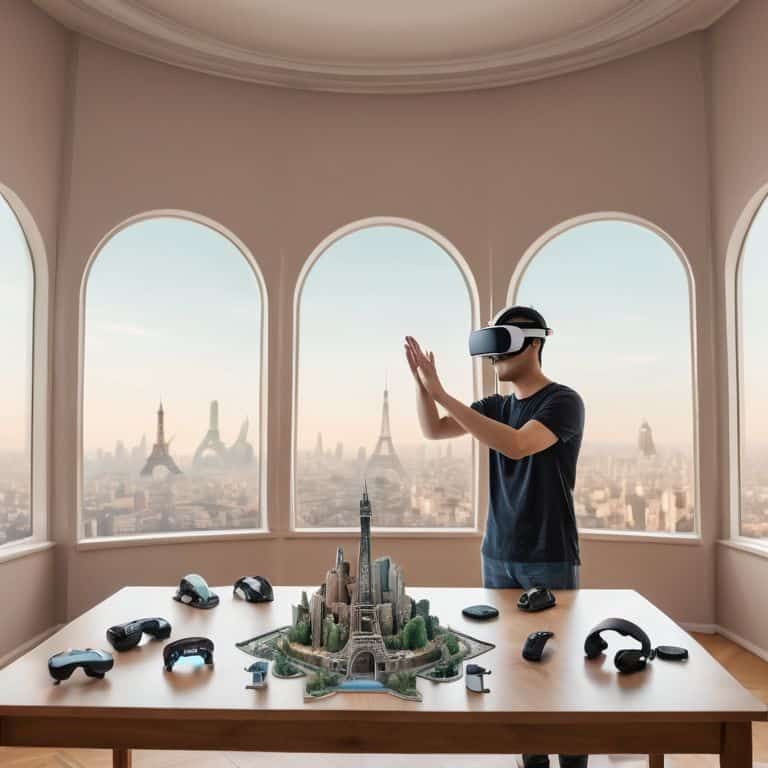
As I delve into the world of virtual reality, I’m reminded of the intricate miniature dioramas I’ve built, capturing the essence of famous travel destinations. Similarly, when choosing the right VR headset, it’s essential to consider the level of detail and immersion you desire. A high-quality headset can transport you to new dimensions, much like my dioramas transport me to far-off lands. When setting up your VR play area, ensure it’s free from obstacles and tripping hazards, allowing you to fully immerse yourself in the virtual world.
As a former travel journalist, I’ve learned to appreciate the importance of _vr system requirements for gaming_. A smooth gaming experience relies on a delicate balance of hardware and software. To avoid common issues, take the time to optimize your system’s performance by adjusting settings and updating drivers. This will ensure a seamless transition into the virtual realm, where you can explore new worlds and discover hidden wonders.
In the realm of virtual reality, _vr calibration tips and tricks_ can make all the difference. By fine-tuning your setup, you can unlock a more immersive experience, with crisp graphics and responsive controls. Whether you’re a seasoned gamer or a curious explorer, mastering the art of VR calibration will enhance your journey, allowing you to navigate virtual seas with ease and precision, much like a seasoned sailor navigating the open waters.
Choosing the Right Vr Headset
As I delve into the world of virtual reality, I’m reminded of the countless hours I spent building miniature dioramas of bustling ports and serene landscapes. The attention to detail, the thrill of discovery – it’s all mirrored in the process of selecting the perfect VR headset. With so many options available, it’s essential to consider what kind of virtual voyages you’ll be embarking on. Will you be exploring vast, open worlds or navigating intricate, detailed environments? The right headset can make all the difference, much like how my trusty compass guides me towards hidden gems in the real world.
When choosing a headset, I look for one that balances clarity, comfort, and compatibility. Just as a skilled sailor must consider the tides and winds, we must weigh the pros and cons of each model to find the perfect fit for our virtual adventures.
Setting Up a Vr Play Area
As I delve into the world of virtual reality, I’m reminded of the meticulous process of crafting my miniature dioramas. Just as a well-designed diorama requires a thoughtful layout, a VR play area demands careful consideration. To set up your VR play area, start by designating a safe and open space, free from obstacles and tripping hazards. A minimum of 6.5 feet by 6.5 feet of clear floor space is recommended, allowing you to move freely and comfortably within the virtual environment.
Consider the positioning of your VR equipment, ensuring that it’s out of the way yet still easily accessible. Secure any cables or wires to prevent accidental tripping or damage. By thoughtfully designing your VR play area, you’ll be able to fully immerse yourself in the virtual world, unencumbered by the concerns of the physical one.
charted course: 5 Key Tips for Setting Up Your VR System
- Ensure a Stable and Powerful Hardware Foundation: Your VR experience is only as strong as its weakest link, so make sure your computer or console can handle the demands of virtual reality
- Calibrate Your VR Headset for Optimal Tracking: A well-calibrated headset is essential for an immersive experience, take the time to adjust the settings for your eyes and play area
- Create a Safe and Dedicated VR Play Space: Clear the area of tripping hazards and fragile items, and define your play space to avoid accidental collisions with the real world
- Update Your Graphics Drivers and VR Software Regularly: Stay ahead of the curve with the latest patches and updates to ensure compatibility, security, and the best possible performance
- Start with Simple Experiences and Gradually Increase Complexity: Begin with introductory VR content and gradually move to more complex and demanding experiences to avoid discomfort and fully appreciate the capabilities of your VR system
Voyager's Key Takeaways
Embarking on a virtual voyage requires careful preparation, including setting up a compatible VR system and choosing the right headset for your adventures
Crafting an ideal VR play area is essential for immersive experiences, ensuring a safe and unobstructed space for exploration and discovery
By navigating the vast expanse of virtual reality with the right tools and mindset, you’ll unlock new horizons of possibilities, from breathtaking landscapes to unparalleled interactive experiences
Embarking on a Virtual Journey
As we set up our VR system, we’re not just calibrating hardware, we’re charting a course for the unexplored territories of our imagination, where the boundaries of reality are but a distant memory.
Steven Wells
Embarking on Virtual Voyages
As we conclude our journey through the realm of setting up a VR system, let’s take a moment to reflect on the key milestones we’ve passed. We’ve navigated the uncharted waters of choosing the right VR headset, carefully considered the importance of a dedicated play area, and delved into the step-by-step process of bringing our virtual world to life. Through this guide, we’ve aimed to provide a comprehensive map for those looking to embark on their own virtual voyages, ensuring that the process is as smooth and enjoyable as possible.
Now, as you stand at the threshold of this new virtual frontier, remember that the true magic lies not in the technology itself, but in the boundless possibilities it offers. The worlds you’ll explore, the stories you’ll tell, and the connections you’ll make are all waiting to be discovered. So, take a deep breath, grasp your controller, and step into the void – for in the words of my grandfather, the greatest stories are those we haven’t yet told.
Frequently Asked Questions
What are the minimum computer specifications required to run a VR system smoothly?
To set sail for smooth VR waters, your computer will need a sturdy anchor – think of a multi-core processor, at least 8GB of RAM, and a dedicated graphics card with plenty of oomph, such as an NVIDIA GeForce or AMD Radeon.
How do I ensure proper tracking and calibration of my VR headset?
To ensure proper tracking and calibration, I recommend checking your VR headset’s manual for specific instructions, as each model varies. Generally, you’ll need to adjust the headset’s sensors, set up the play area boundaries, and run the calibration software that comes with your device. A well-calibrated headset is key to a seamless virtual voyage.
Can I use a VR system with a laptop, or is a desktop computer required?
While a desktop computer is often preferred for its processing power, you can indeed use a VR system with a laptop, provided it meets the necessary specifications. I’ve had my fair share of exploring virtual worlds on my trusty laptop, and with the right setup, it can be a fantastic way to dive into new adventures on the go.